

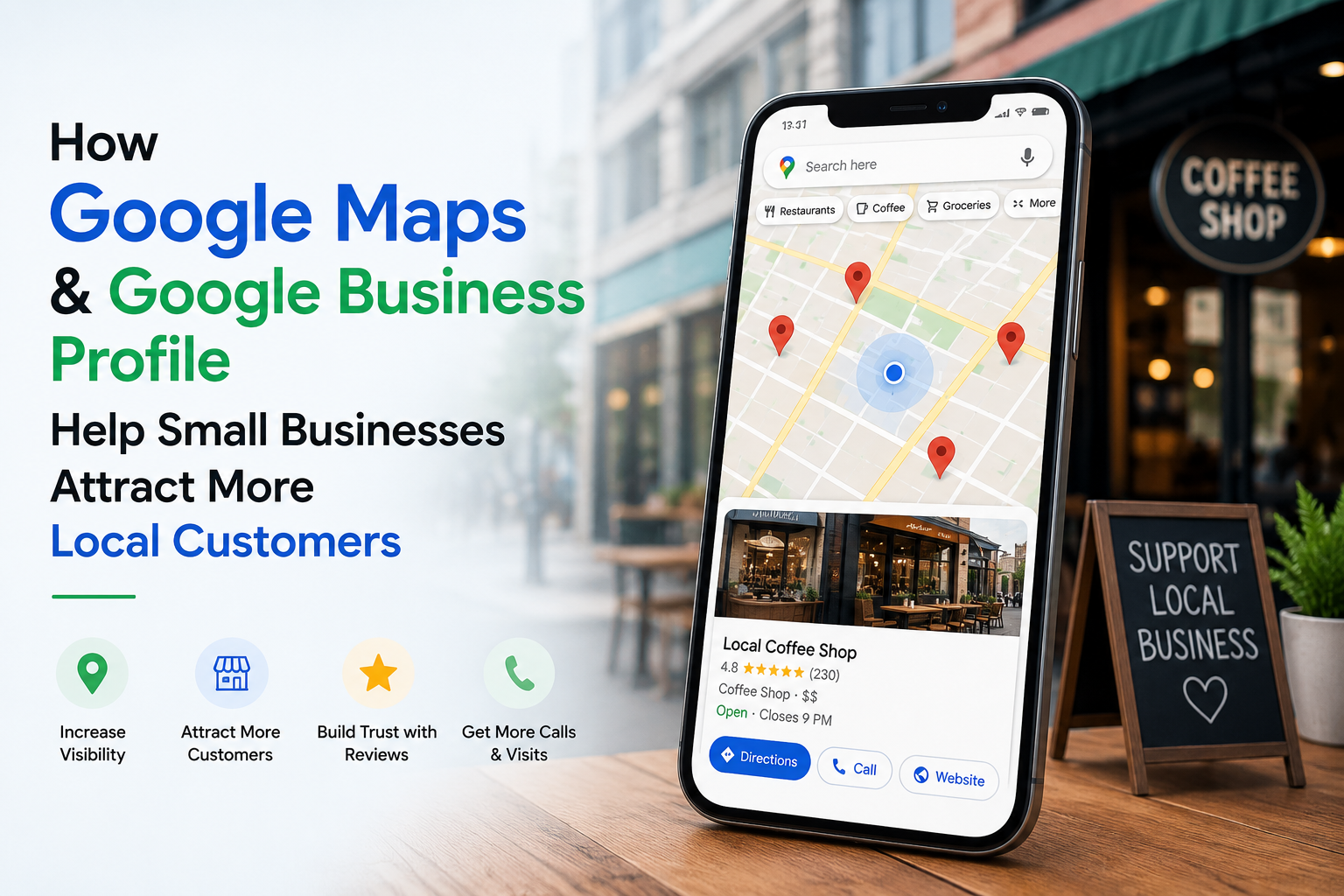
Introduction
Have you ever searched for a nearby coffee shop, dentist, or restaurant on Google Maps? Chances are, you selected one of the first businesses you saw without scrolling through dozens of results. This simple habit highlights how important local search has become for both consumers and businesses.
Today, customers expect to find accurate business information within seconds. They want to see your location, business hours, phone number, website, customer reviews, and even photos before deciding whether to contact or visit your business. If your business is missing from Google Maps or has an incomplete Google Business Profile, you could be losing potential customers every day.
Google Business Profile is one of the most valuable free marketing tools available for small businesses. When properly optimized, it improves your visibility in Google Search and Google Maps, helps you build trust through customer reviews, and increases phone calls, website visits, and in-store traffic.
In this guide, you’ll learn what Google Business Profile is, why Google Maps plays a critical role in Local SEO, and the practical steps you can take to attract more local customers and grow your business.
What Is Google Business Profile?
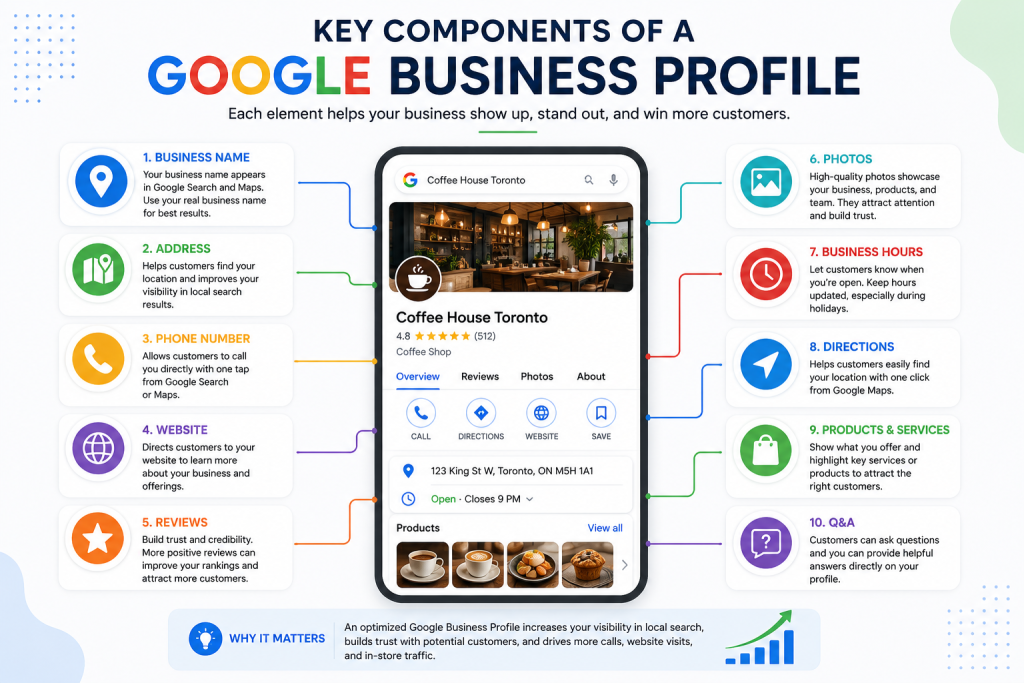
Google Business Profile (formerly known as Google My Business) is a free business listing tool provided by Google that helps businesses manage how they appear in Google Search and Google Maps. It allows business owners to share accurate and up-to-date information with potential customers, making it easier for people to discover, contact, and visit their business.
A complete Google Business Profile typically includes essential business details such as the company name, address, phone number, website, business hours, photos, products or services, and customer reviews. It also enables customers to call a business, get directions, visit its website, or read reviews directly from Google’s search results without leaving the page.
For small businesses, Google Business Profile is much more than an online directory. It serves as a powerful Local SEO tool that improves online visibility and helps businesses appear in local search results when customers are actively looking for products or services nearby.
For example, when someone searches for “coffee shop near me”, “best dentist in Toronto”, or “digital marketing agency in Oakville”, Google often displays a local map with business listings before showing traditional website results. Businesses with well-optimized Google Business Profiles are significantly more likely to appear in these highly visible local search results.
By keeping business information accurate, responding to customer reviews, and regularly updating photos and posts, businesses can improve credibility, increase customer engagement, and attract more qualified local customers.
Why Google Maps Matters for Local Businesses
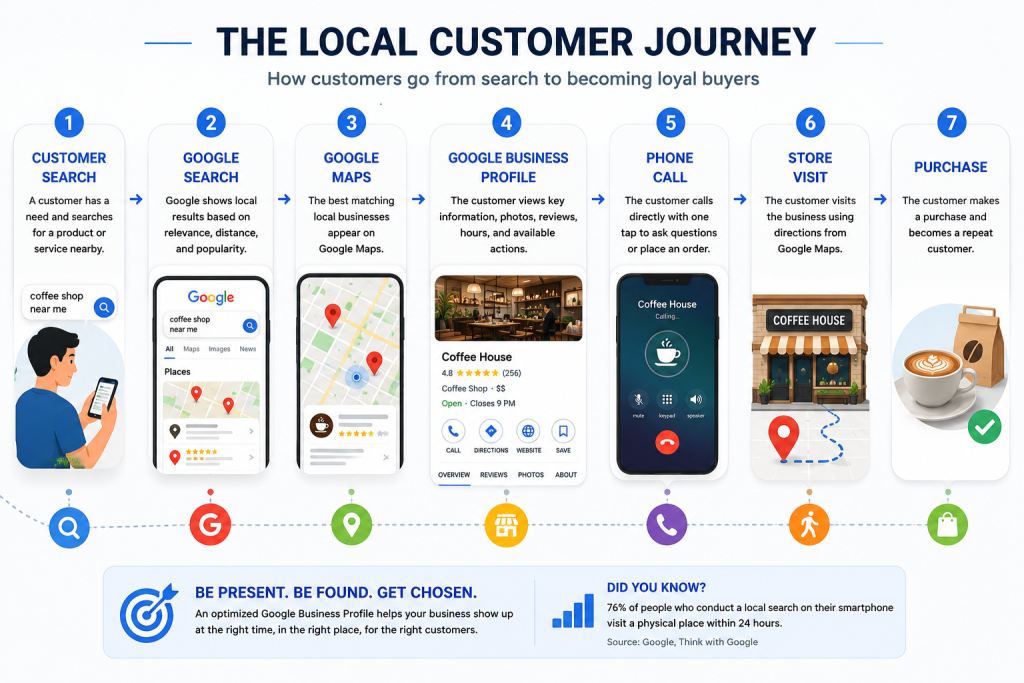
Every day, millions of people use Google Maps to search for nearby restaurants, coffee shops, clinics, retail stores, and service providers. Whether someone searches for “pizza near me,” “dentist in Toronto,” or “marketing agency in Oakville,” Google Maps helps users discover businesses based on their location, relevance, customer reviews, and business information.
For local businesses, appearing in Google Maps can significantly increase visibility and attract customers who are ready to make a purchase. Unlike traditional advertising, these users already have strong purchase intent because they are actively searching for a product or service.
Google Maps listings also provide valuable information at a glance, including ratings, reviews, business hours, contact details, photos, and directions. This allows potential customers to make quick decisions without visiting multiple websites.
Another major advantage is mobile visibility. Since most local searches happen on smartphones, businesses that appear prominently in Google Maps are more likely to receive phone calls, website visits, requests for directions, and in-store visits.
Simply having a website is no longer enough. Businesses that actively manage and optimize their Google Business Profile gain a competitive advantage by becoming more visible, more trustworthy, and easier for customers to find.
Traditional Website vs Google Business Profile
| Feature | Traditional Website | Google Business Profile |
|---|---|---|
| Appears in Google Maps | ❌ | ✅ |
| Shows Customer Reviews | Limited | ✅ |
| One-Tap Phone Call | ❌ | ✅ |
| Directions | ❌ | ✅ |
| Business Hours | Manual | ✅ |
| Mobile Friendly Discovery | Depends | ✅ |
| Free to Use | ❌ (Hosting & Domain Costs) | ✅ |
7 Ways Google Business Profile Helps Small Businesses Grow
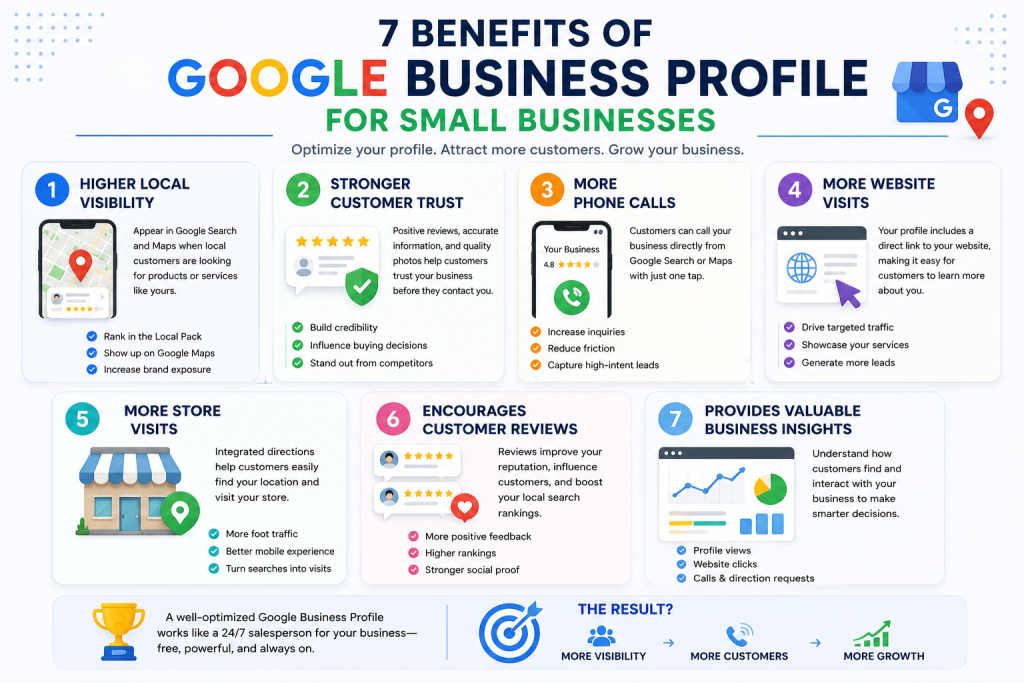
A well-managed Google Business Profile does much more than display your business on Google Maps. It helps you build trust, improve visibility, attract qualified leads, and convert local searchers into paying customers. Here are seven of the most valuable benefits for small businesses.
1. Improves Local Search Visibility
Businesses with complete and optimized profiles have a better chance of appearing in Google’s Local Pack and Google Maps results. This increases exposure to customers who are actively searching for nearby products or services.
2. Builds Customer Trust
Positive reviews, accurate business information, and high-quality photos help customers feel confident before contacting your business.
3. Generates More Phone Calls
One tap is all it takes for customers to call directly from Google Search or Google Maps, reducing friction and increasing inquiries.
4. Drives More Website Traffic
Your profile provides a direct link to your website, encouraging users to learn more about your products or services.
5. Increases Store Visits
Integrated directions make it easy for customers to find your physical location, especially on mobile devices.
6. Encourages Customer Reviews
Google reviews improve your reputation, influence buying decisions, and contribute to stronger local search rankings.
7. Provides Valuable Business Insights
Google Business Profile offers performance data such as profile views, website clicks, phone calls, and direction requests, helping businesses understand customer behavior and improve their marketing strategies.
Common Google Business Profile Mistakes
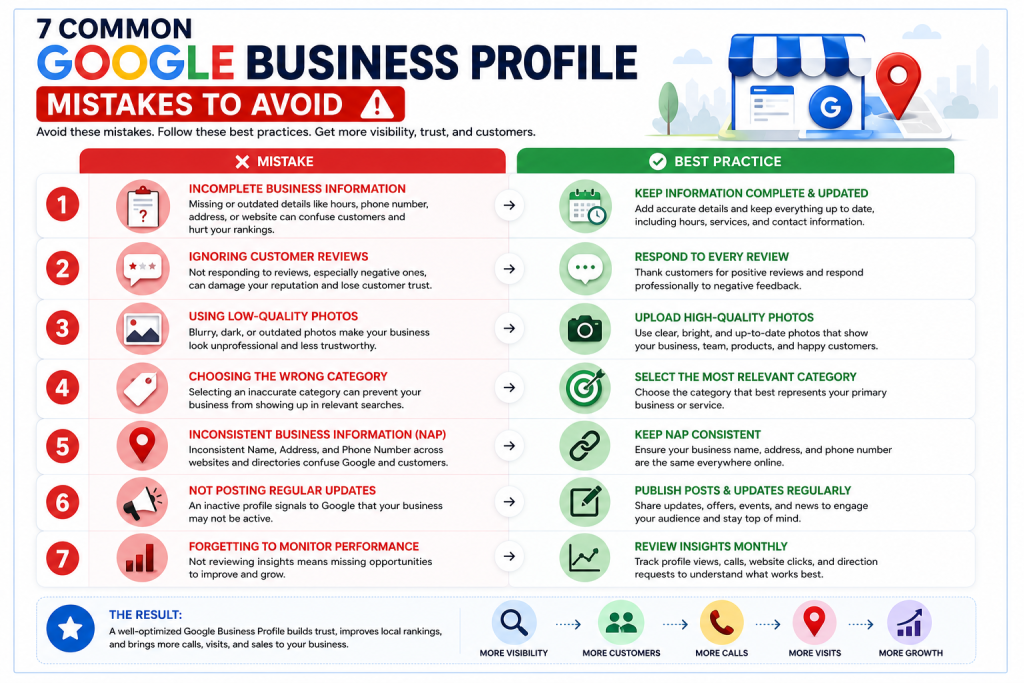
Many businesses create a Google Business Profile but fail to take full advantage of its features. Even small mistakes can reduce visibility in local search results and negatively impact customer trust. Avoiding these common issues can significantly improve your local SEO performance.
1. Incomplete Business Information
Missing or outdated details such as business hours, phone number, address, or website can confuse potential customers and reduce Google’s confidence in your listing.
2. Ignoring Customer Reviews
Failing to respond to reviews, especially negative ones, may damage your reputation. Responding professionally shows that you value customer feedback and actively engage with your audience.
3. Using Low-Quality Photos
Poor or outdated images make your business appear less trustworthy. Uploading high-quality, up-to-date photos helps create a strong first impression.
4. Choosing the Wrong Business Category
Selecting an inaccurate primary category can prevent your business from appearing in relevant searches. Always choose the category that best describes your main service.
5. Inconsistent Business Information
Your business name, address, and phone number (NAP) should be consistent across your website, Google Business Profile, and online directories.
6. Not Posting Regular Updates
Google Business Profile allows businesses to publish updates, promotions, and announcements. Regular activity signals that your business is active and engaged.
7. Forgetting to Monitor Performance
Many businesses never review their profile insights. Monitoring calls, website clicks, and direction requests helps identify opportunities for improvement.
How to Optimize Your Google Business Profile
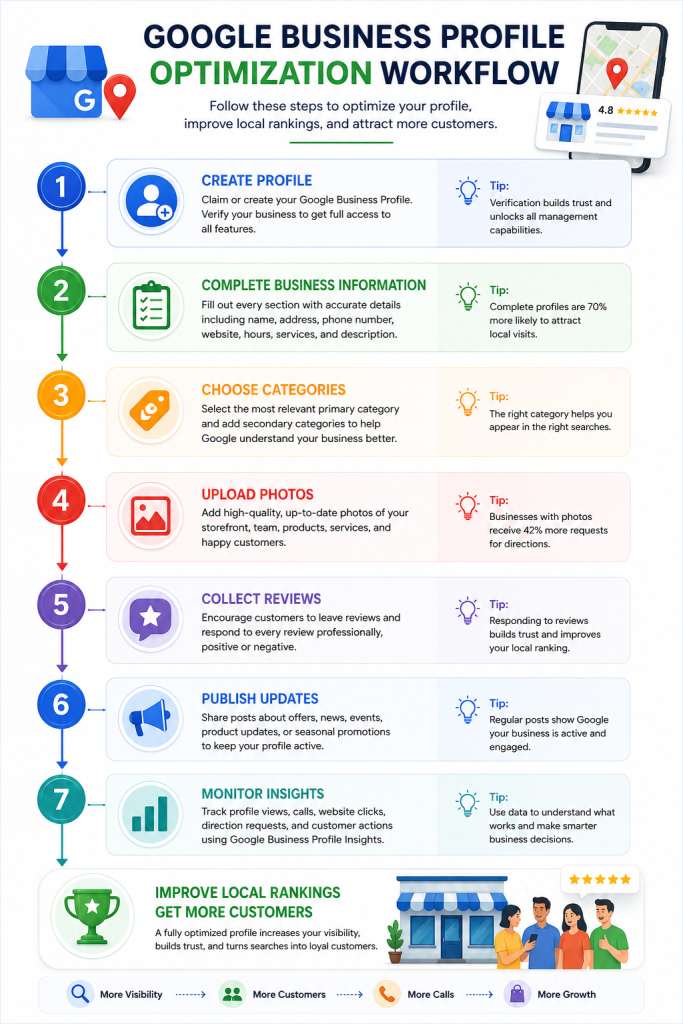
Optimizing your Google Business Profile is one of the most effective ways to improve your local search visibility and attract more qualified customers. While creating a profile is simple, achieving strong results requires ongoing optimization and regular maintenance.
Follow these best practices to maximize your profile’s performance:
✅ Complete Every Section
Fill out every available field, including your business name, address, phone number, website, business hours, services, business description, and attributes. Complete profiles provide Google with more information and increase customer confidence.
✅ Choose the Right Primary Category
Your primary business category has a significant impact on which searches your business appears in. Select the category that most accurately represents your core service and add relevant secondary categories when appropriate.
✅ Upload High-Quality Photos Regularly
Businesses with professional, up-to-date photos often receive more engagement than profiles with few or outdated images. Include photos of your storefront, team, products, services, and completed projects whenever possible.
✅ Collect and Respond to Customer Reviews
Encourage satisfied customers to leave honest reviews and respond to every review professionally, whether positive or negative. Active engagement demonstrates credibility and strengthens customer trust.
✅ Keep Business Information Updated
Whenever your phone number, opening hours, holiday schedule, services, or website changes, update your profile immediately. Accurate information helps customers and prevents negative experiences.
✅ Publish Google Business Posts
Use Google Posts to share promotions, announcements, new products, seasonal offers, or company news. Fresh content signals that your business is active and engaged.
✅ Monitor Performance Using Insights
Review your Google Business Profile Insights regularly to track profile views, phone calls, website clicks, direction requests, and customer actions. These metrics help you understand what is working and where improvements are needed.
Google Business Profile Optimization Checklist
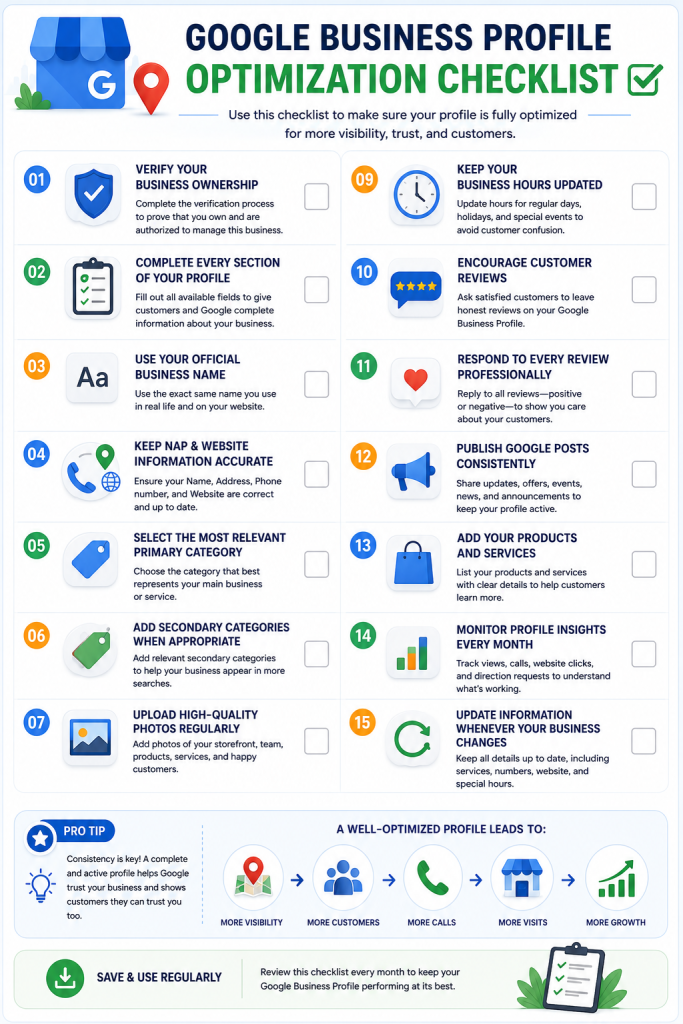
Before publishing or updating your Google Business Profile, use this checklist to ensure your profile is fully optimized for both customers and search engines.
✅ Google Business Profile Checklist
- Verify your business ownership.
- Complete every section of your profile.
- Use your official business name.
- Keep your address, phone number, and website accurate.
- Select the most relevant primary business category.
- Add secondary categories when appropriate.
- Upload high-quality photos regularly.
- Write a keyword-rich business description.
- Keep your business hours updated.
- Encourage satisfied customers to leave reviews.
- Respond to every customer review professionally.
- Publish Google Posts consistently.
- Add your products and services.
- Monitor profile insights every month.
- Update information whenever your business changes
Real-World Example: How a Local Coffee Shop Increased Its Visibility
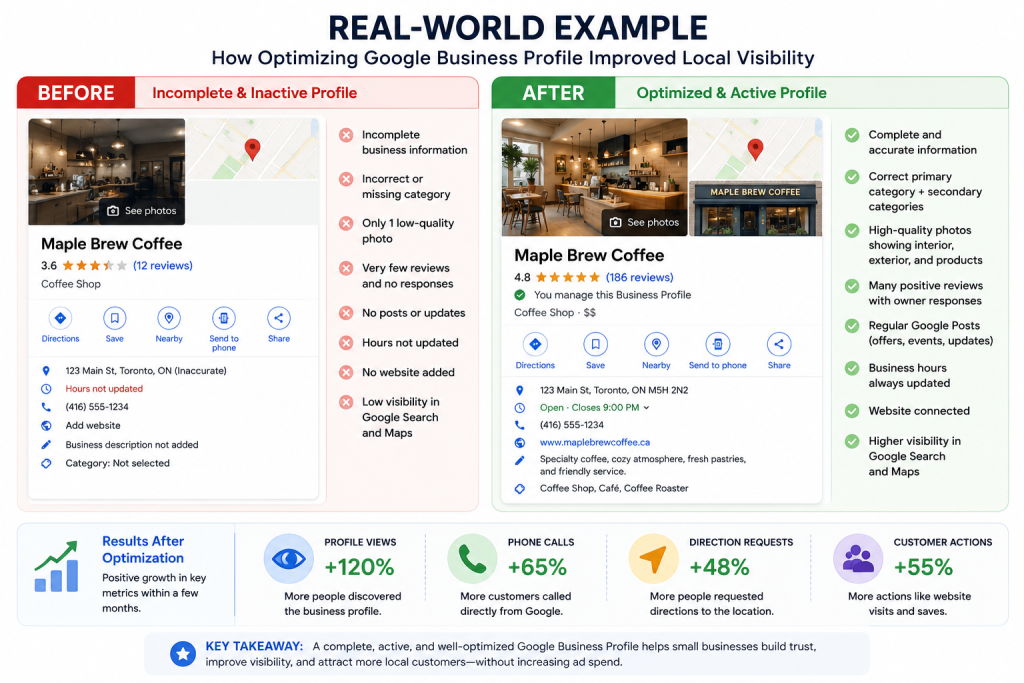
Imagine a small neighborhood coffee shop that struggled to attract new customers despite having an attractive website and quality products. The business created a Google Business Profile but left several sections incomplete and rarely updated it.
After optimizing the profile by adding accurate business information, uploading professional photos, collecting customer reviews, responding to feedback, and publishing regular updates, the business experienced noticeable improvements. Within a few months, more customers discovered the coffee shop through Google Maps, phone inquiries increased, requests for directions grew, and foot traffic improved significantly.
This example demonstrates that consistent optimization of a Google Business Profile can make a meaningful difference in local visibility and customer engagement, even without increasing advertising spend.
Frequently Asked Questions
Q1. Is Google Business Profile free?
Yes. Google Business Profile is completely free to create and manage. Businesses can use it to appear in Google Search and Google Maps without paying for a listing.
Q2. How long does it take to appear on Google Maps?
After verification, most businesses appear within a few days, although changes and updates may sometimes take longer to be reflected.
Q3. Does Google Business Profile help SEO?
Yes. While it does not directly improve traditional website rankings, it plays a major role in Local SEO and increases visibility in Google Maps and local search results.
Q4. How often should I update my profile?
Businesses should review and update their profile regularly, especially when business hours, contact information, services, or promotions change.
Q5. Can I manage multiple business locations?
Yes. Google Business Profile supports businesses with multiple locations, allowing owners to manage them from a single account.
Key Takeaways
If you only remember a few things from this guide, make them these:
- ✔ Keep your Google Business Profile complete and accurate.
- ✔ Encourage satisfied customers to leave genuine reviews.
- ✔ Upload high-quality photos regularly.
- ✔ Respond professionally to every customer review.
- ✔ Publish Google Posts to keep your profile active.
- ✔ Monitor Google Business Profile Insights to understand customer behavior.
- ✔ Update business hours, contact details, and services whenever they change.
A well-maintained Google Business Profile helps build trust, improves local search visibility, and makes it easier for nearby customers to choose your business.
Final Thoughts
Google Business Profile has become one of the most powerful digital marketing tools for local businesses. A well-optimized profile helps customers discover your business, builds trust through reviews, and increases calls, website visits, and in-store traffic.
Success with Google Business Profile is not achieved by creating a profile once and forgetting about it. Businesses that consistently update their information, publish fresh content, respond to reviews, and monitor performance are more likely to improve their local search visibility and attract qualified customers.
Whether you operate a small retail store, a local restaurant, a healthcare clinic, or a digital marketing agency, investing time in optimizing your Google Business Profile can deliver long-term benefits and sustainable business growth.
Ready to Grow Your Local Business?
Your Google Business Profile is often the first impression potential customers have of your business. Make sure it’s working for you, not against you.
At Azerila Digital Marketing, we help businesses optimize their Google Business Profile, improve local SEO, and attract more qualified customers through proven digital marketing strategies.
👉 Contact Azerila today to start growing your local visibility.
References
- Google Business Profile Help. (2026). About your Business Profile on Google. Retrieved July 2026, from https://support.google.com/business
- Google Search Central. (2026). Search Engine Optimization (SEO) Starter Guide. Retrieved July 2026, from https://developers.google.com/search/docs/fundamentals/seo-starter-guide
- Google Maps Platform. (2026). Google Maps Platform Documentation. Retrieved July 2026, from https://developers.google.com/maps
- Moz. (2026). The Beginner’s Guide to Local SEO. Retrieved July 2026, from https://moz.com/learn/seo/local
- Semrush. (2026). Local SEO: The Complete Guide. Retrieved July 2026, from https://www.semrush.com/blog/local-seo/
- BrightLocal. (2025). Local Consumer Review Survey. Retrieved July 2026, from https://www.brightlocal.com/research/local-consumer-review-survey/
- HubSpot. (2026). Local SEO Marketing Guide. Retrieved July 2026, from https://blog.hubspot.com/marketing/local-seo
- Whitespark. (2026). Google Business Profile Optimization Guide. Retrieved July 2026, from https://whitespark.ca

Leave a Reply